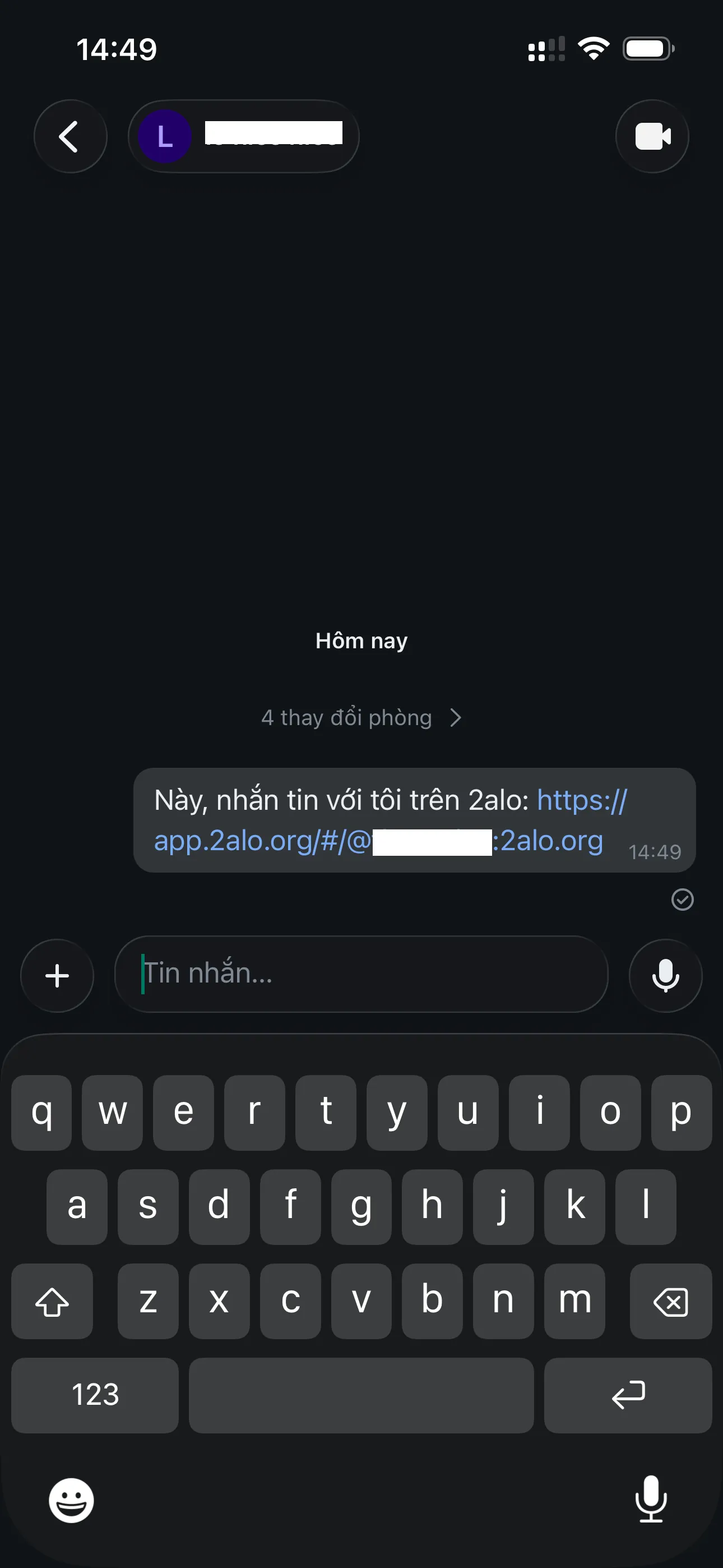
Guide - Connect with friends
From the Chats screen, you can search friends by ID, create a room to invite people, or join a room from a link.
1. Start connecting
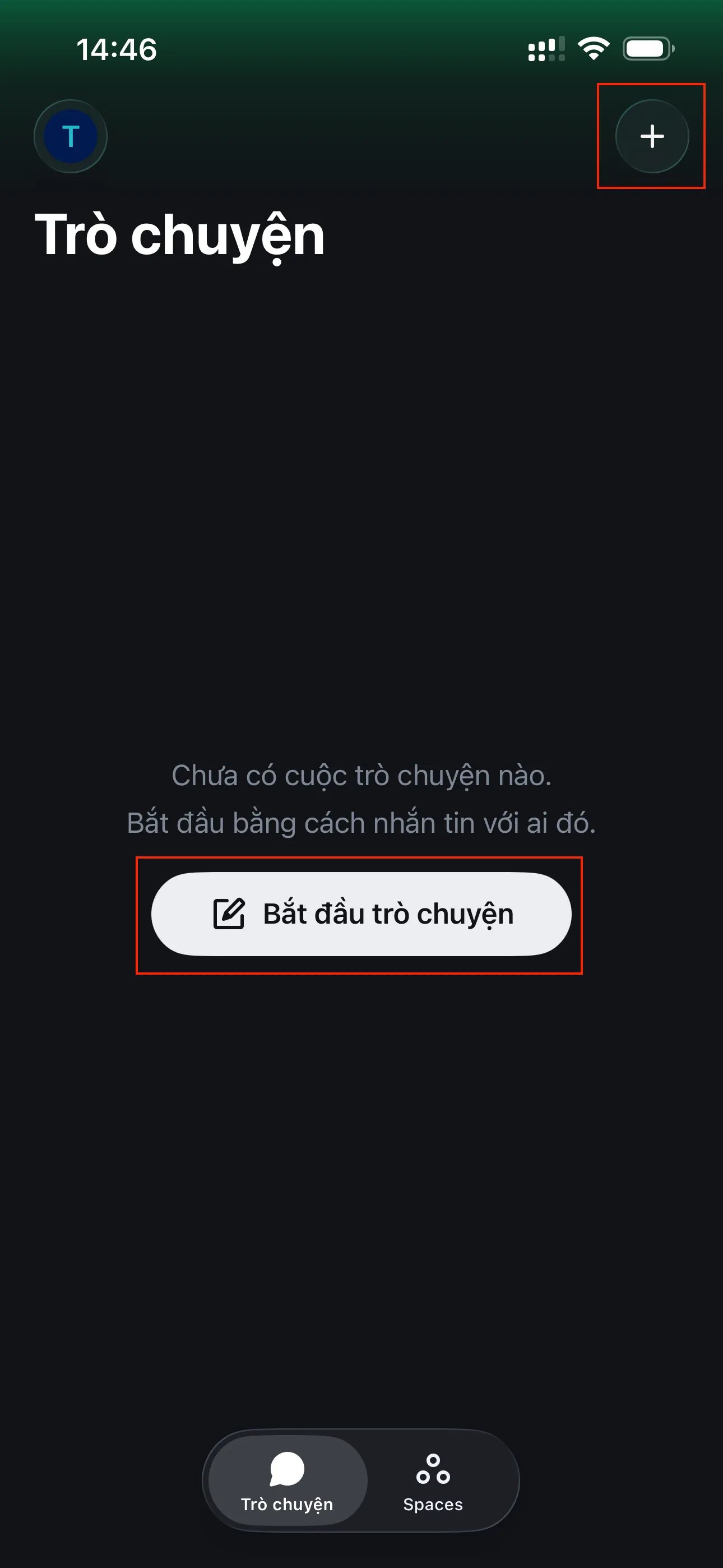
Open the connection options from the main screen.
Start chat or the + button
On the main screen, tap "Start chat" or the + icon in the top-right corner to connect with friends (add friends, join groups, create groups, or search).
2. Ways to connect
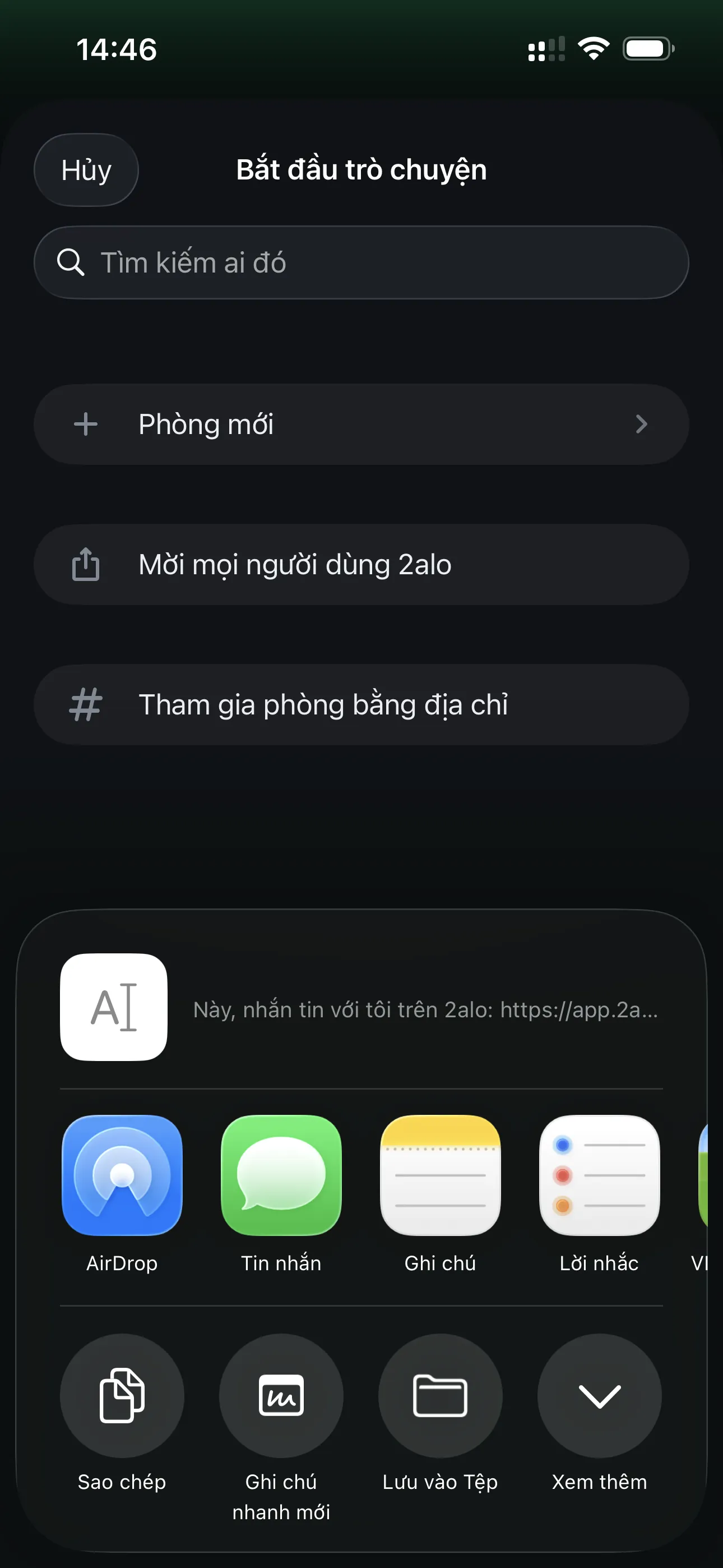
From the connection menu, you can do several actions quickly:
Search by ID, create a room, invite via link, join a room
You can search friends by ID (see step 4 in the Getting Started guide for how to copy your ID), create a room and invite friends via a link, or join a room by address.

3. Invite friends to 2alo
When inviting friends, you can share an invite link via other apps or copy it to send.
3.1. Share an invite link
Choose "Invite people to use 2alo" to open the share sheet, then pick an app or copy the link.
3.2. Friends tap the link to connect
Send the link to your friends. When they tap it, they can connect with you right away.